



The myChevrolet app is a powerful tool that enhances the convenience and safety of Chevrolet vehicles. This app allows you to start your car remotely, lock and unlock the doors, and even check your vehicle’s status from your smartphone. For residents of Memphis, TN, and surrounding areas, understanding the full capabilities of the myChevrolet app can significantly improve your driving experience. At Jim Keras Chevrolet, located at 2000 Covington Pike, Memphis, TN 38128, we are committed to helping you make the most of your Chevrolet vehicle. Contact us at (901) 589-1730 for personalized assistance.
Table of Contents
- Introduction to the myChevrolet App: Overview of the app’s features and benefits.
- Unlocking and Locking Your Car: Detailed instructions on using the app to control vehicle locks.
- Starting Your Car Remotely: How to use your smartphone to start your Chevrolet.
- Vehicle Compatibility: Which Chevrolet models can use the myChevrolet app.
- Tracking Your Vehicle: Using the app to locate your car and set boundary alerts.
- Additional Features and Benefits: Explore other functionalities like vehicle diagnostics and EV support.
- How to Get Started with the myChevrolet App: Step-by-step guide to downloading and setting up the app.
- Enhance Your Experience at Jim Keras Chevrolet: How our dealership can assist you with the myChevrolet app and beyond.
Introduction to the myChevrolet App
The myChevrolet app is designed to keep you connected to your vehicle no matter where you are. With features that include remote start, lock/unlock capabilities, and vehicle health monitoring, this app is indispensable for modern Chevrolet owners. Whether you’re in Memphis, Bartlett, or Germantown, the app provides a seamless connection between you and your car, enhancing both convenience and security.
The app is compatible with 2010 and newer Chevrolet vehicles and is available for download on both the Apple App Store and Google Play Store. By linking your Chevrolet to your smartphone, you can enjoy peace of mind knowing that you have control over your vehicle’s essential functions at your fingertips.
Unlocking and Locking Your Car
One of the standout features of the myChevrolet app is the ability to remotely unlock and lock your vehicle. This feature is particularly useful in urban settings like downtown Memphis or when you’re at a busy shopping center in Cordova. Simply open the app, navigate to the remote commands, and with a few taps, you can secure your vehicle without needing to physically be there.
The app provides a two-second hold feature to prevent accidental activation, ensuring that your vehicle remains secure. This feature is an industry standard designed to enhance safety and prevent unintended vehicle access.
For those interested in learning more about this feature or experiencing it firsthand, you can visit us at Jim Keras Chevrolet. Our team is more than happy to demonstrate how this feature works and answer any questions you may have.
Starting Your Car Remotely
Imagine starting your car from the comfort of your home in Germantown or your office in Bartlett on a chilly morning. The myChevrolet app allows you to do just that. With remote start capabilities, you can warm up your car or cool it down before you even step inside.
To use this feature, simply access the remote start option within the app. Hold the start button until the command is processed, and your vehicle will be ready to go by the time you reach it. This feature is not only convenient but also enhances your comfort and vehicle performance, particularly during extreme weather conditions.
For a hands-on demonstration, visit our dealership at 2000 Covington Pike, Memphis, TN 38128. Our knowledgeable staff can walk you through the setup and use of the remote start feature on your Chevrolet model.
Vehicle Compatibility
The myChevrolet app is compatible with all Chevrolet models from 2010 onwards, including popular models like the Chevrolet Trax, Traverse, and Tahoe. Whether you’re driving a sleek Chevrolet Corvette or a robust Chevrolet Silverado 1500, the app provides enhanced connectivity and control.
For those in the market for a new vehicle, you can explore our inventory of new Chevrolet vehicles and pre-owned vehicles to find a model that suits your needs. Our team at Jim Keras Chevrolet is ready to assist you in finding the perfect car that is compatible with the myChevrolet app.
Tracking Your Vehicle
The myChevrolet app includes a vehicle locate feature, allowing you to track your car’s location with ease. This is particularly useful in large parking lots or when sharing your vehicle with family members. The app can send automated text alerts when your vehicle leaves or enters a designated area, providing added peace of mind.
For residents in areas like Collierville or Southaven, this feature ensures that your car is never out of reach. Set up boundary alerts to receive notifications if your vehicle moves beyond a set perimeter, making it easier to manage vehicle use among family members.
To learn more about setting up and using the vehicle tracking feature, contact our service department at Jim Keras Chevrolet. Our team can provide detailed instructions and assist with any technical questions you may have.
Additional Features and Benefits
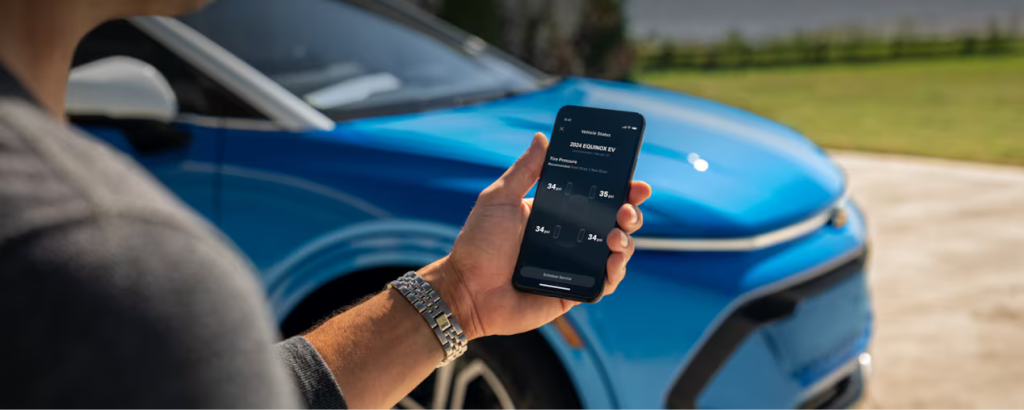
Beyond remote commands and vehicle tracking, the myChevrolet app offers a suite of additional features. These include vehicle diagnostics, allowing you to monitor fuel levels, tire pressure, and oil life. For electric vehicle owners, the app provides charge status updates and charging station locations.
Residents of Olive Branch and Lakeland can benefit from these features, ensuring that their Chevrolet vehicles are always in optimal condition. The app also includes a Wi-Fi hotspot management feature, enabling you to stay connected on the go.
For those interested in learning more about these features, visit our dealership or explore our new Chevrolet vehicles that come equipped with these capabilities.
How to Get Started with the myChevrolet App
Getting started with the myChevrolet app is straightforward. Follow these steps to set up your app and start enjoying its benefits:
- Download the App: Available on the Apple App Store and Google Play Store.
- Create an Account: Use the email associated with your Chevrolet purchase for seamless integration.
- Link Your Vehicle: Enter your vehicle’s VIN to connect it to the app.
- Explore Features: Familiarize yourself with the app’s interface and available commands.
For assistance with setup or troubleshooting, contact our team at Jim Keras Chevrolet. We’re here to help you maximize the potential of your myChevrolet app.
Enhance Your Experience at Jim Keras Chevrolet
At Jim Keras Chevrolet, we are dedicated to providing exceptional service to our customers. Whether you’re interested in the latest Chevrolet models or need assistance with the myChevrolet app, our team is here to support you.
Visit us at 2000 Covington Pike, Memphis, TN 38128 or call us at (901) 589-1730 to schedule a service appointment or test drive. Our dealership offers a range of services, including Chevrolet parts online and service scheduling to keep your vehicle running smoothly.
Discover the value of your current vehicle with our online trade value estimation tool and explore financing options with our credit application. At Jim Keras Chevrolet, we are committed to enhancing your driving experience.
© 2025 Jim Keras Chevrolet
Connect with us


- 2026 Chevrolet Blazer
- 2026 Chevrolet Blazer EV
- 2026 Chevrolet Colorado
- 2026 Chevrolet Corvette
- 2026 Chevrolet Equinox EV
- 2026 Chevrolet Suburban
- 2026 Chevrolet Tahoe
- 2026 Chevrolet Traverse
- 2026 Chevy Trailblazer
- 2027 Chevrolet Bolt
- Car Financing
- Chevrolet Equinox
- Chevrolet Silverado 1500
- Jim Keras Chevrolet Service
- Memphis Chevrolet Dealer
- Memphis Chevrolet Service
- Memphis Used Cars
- New Chevrolet Models
- Tire Maintenance Tips
- Uncategorized